Unity Assembly Definitions: How I Cut Compile Times From 40 Seconds to 4
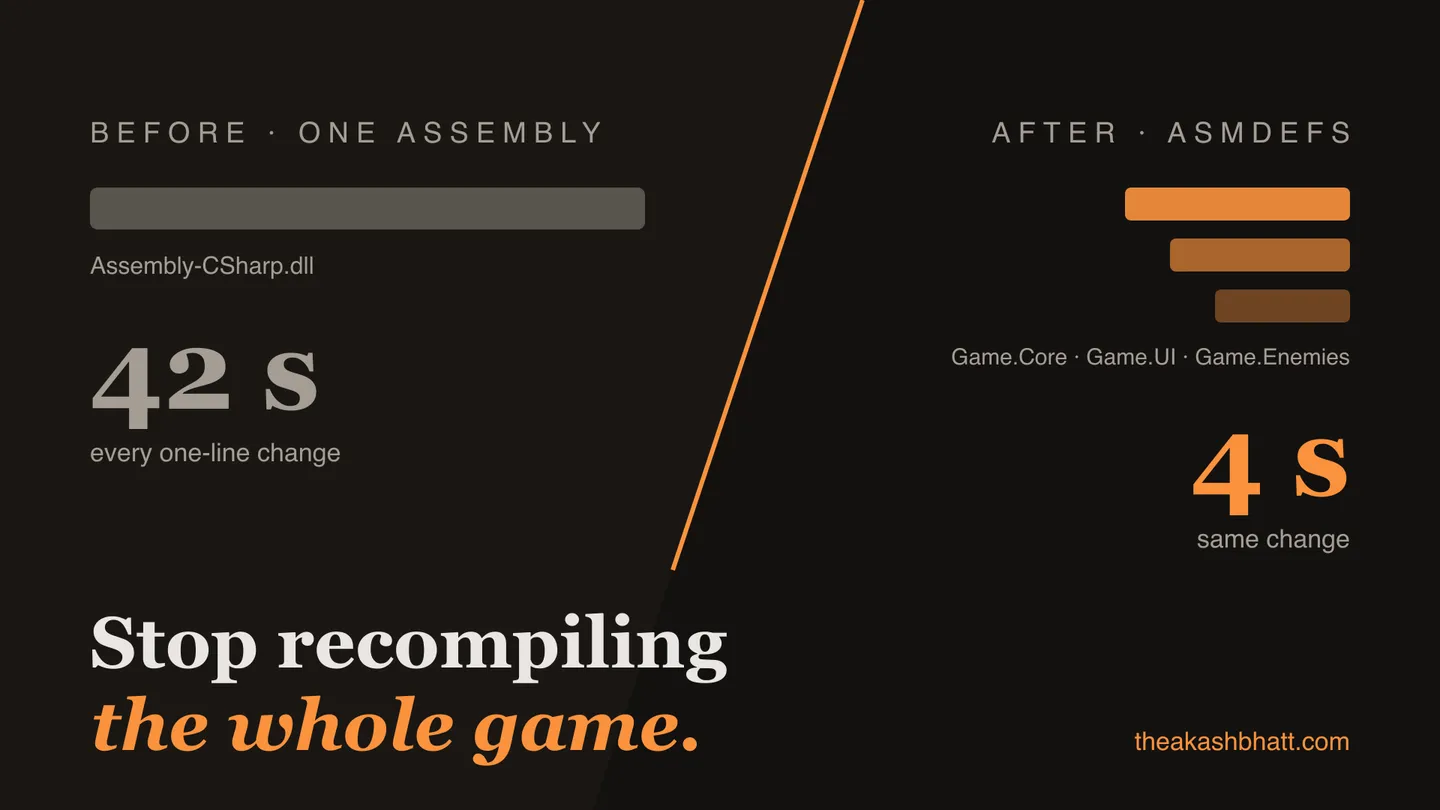
At some point in 2022 I actually timed it. On the project I was leading, changing one line in one script and tabbing back to Unity cost 40 seconds before the editor was usable again. I counted my compiles for a day: 61. That’s forty minutes, every day, spent watching a spinner, multiplied by four programmers. We were losing most of a person-day daily to the compile wait, and the project wasn’t even that big. About 1,900 scripts.
Assembly definitions took that 40 seconds down to roughly 4 for a typical gameplay change. Not through magic, and not without cost; I’ve also seen teams adopt asmdefs enthusiastically and make their lives worse. So this is the full picture: what Unity actually does when you save a script, how to split a project without breaking it, and the mistakes I’d warn you off.
What actually happens when Unity compiles your scripts
By default, every runtime script in your project compiles into one assembly: Assembly-CSharp.dll. Editor-folder scripts get Assembly-CSharp-Editor.dll, legacy Plugins-folder code gets -firstpass variants, and that’s essentially the whole map. One line changes anywhere, and the entire monolith recompiles, because C# compilation is per-assembly. The compiler cannot recompile half a DLL.
Then comes the part people conflate with compilation: the domain reload. After compiling, Unity throws away the entire scripting domain and rebuilds it, reloading every assembly, rerunning static initializers, reserializing everything. On my 40-second project the split was roughly 28 seconds of compile and 12 of reload. Assembly definitions attack the first number. The second shrinks a little (fewer changed assemblies to reload) but it never disappears; if your pain is mostly reload, that’s a different fight, and I covered it in my post on making the Unity editor fast again.
An assembly definition (.asmdef) is a small JSON file that says: every script in this folder and below belongs to a separate assembly with this name. Now a change in Game.Enemies recompiles Game.Enemies.dll plus anything that depends on it, and nothing else. The win is entirely about what doesn’t recompile. Which leads to the only design rule that matters: stable code at the bottom, volatile code at the top.
Splitting Assembly-CSharp without breaking your project
The order of operations matters more than people expect, because the moment you add your first asmdef, the scripts under it can no longer see anything still living in Assembly-CSharp. The predefined assemblies reference all asmdef assemblies automatically, but the reverse is impossible: asmdefs must declare their references explicitly, and Assembly-CSharp isn’t something you can declare.
So you work bottom-up, leaves first:
Start with third-party code. Anything in your project that ships without its own asmdef (older Asset Store packages are the usual offenders) is compiling into Assembly-CSharp and dragging your iteration time with it, despite not having changed since you imported it. Wrap each in an asmdef. This step alone bought us about a third of the total win, before we’d touched our own code.
Then carve out your genuinely dependency-free code: math helpers, extension methods, data types. Something like Game.Core. Then the layers above it, each declaring references downward. The dependency arrows must all point one way; the compiler enforces it, which brings us to the wall everyone hits.
{
    "name": "Game.Enemies",
    "references": [
        "Game.Core",
        "Game.Combat"
    ],
    "autoReferenced": true
}
One practical note on that file: references can be stored by name or by GUID (“Use GUIDs” toggle in the Inspector). Take the GUIDs. Renaming an assembly later won’t break every reference to it, for the same reason renaming assets doesn’t break references when GUIDs are intact.
The circular dependency wall
Within one assembly, the compiler happily lets your enemy code call the UI and your UI peek back at enemies. Split them into two assemblies and that cycle becomes a hard error: A cannot reference B while B references A. Every team hits this in week one and it feels like the tooling being obstinate. It’s the opposite. The cycle was always a design problem; the monolith just never made you look at it.
Three exits, in the order I reach for them. Invert with events: the enemy raises EnemyDied, it has no idea the UI exists, the UI subscribes from above. If you’ve read my post on event-based architecture in Unity, this is where that approach stops being a style preference and becomes load-bearing. Second: extract an interfaces assembly both sides can reference, Game.Contracts or similar, holding interfaces and shared data types. Third: admit the two pieces change together and belong in one assembly. That’s a legitimate answer. The goal is compile isolation between things that change independently, not maximum fragmentation.
While we’re on structure: Editor-folder magic stops working under an asmdef. A folder named Editor inside asmdef territory is just a folder. Editor code needs its own asmdef with the platform list restricted to Editor, which is genuinely better once you’re used to it, because editor code can no longer silently leak into builds and throw missing-type errors at the worst moment. Your test assemblies work the same way, and internals stay reachable via InternalsVisibleTo in an AssemblyInfo.cs.
There’s also .asmref, the escape hatch for adding files into an assembly you don’t own, and for one legitimate structural trick: keeping platform-specific code in separate folders that all merge into one assembly. You’ll rarely need it. Know it exists, mostly so you don’t invent a workaround for a solved problem.
Version defines and the quieter wins
Two asmdef features pay rent without touching compile times. The first is version defines, tucked at the bottom of the Inspector: they set a scripting define symbol only when a given package is present, optionally within a version range. This is the clean solution to a problem every tools programmer has botched at least once, code that should integrate with, say, Addressables if the project has it. Instead of a hand-maintained define or a fragile reflection dance, the asmdef declares “define ADDRESSABLES_PRESENT when com.unity.addressables exists,” the integration code sits behind #if ADDRESSABLES_PRESENT, and the assembly compiles correctly in projects with and without the package. If you ship anything to the Asset Store or share packages between projects, this feature is load-bearing.
The second is what asmdefs do to your IDE. Each assembly becomes its own C# project in the generated solution, so Rider and Visual Studio stop treating your codebase as one hundred-thousand-line blob: navigation gets faster, per-assembly code analysis becomes possible, and the solution explorer starts mirroring your actual architecture. The rootNamespace field feeds new-file templates, which sounds trivial until namespaces across a team actually match folder structure without anyone policing it.
Measuring compile times honestly
Don’t trust your gut on any of this; the numbers are sitting in Editor.log. After every reload Unity prints a Domain Reload Profiling block, and with verbose compilation logging you can see per-assembly compile times. The free Compilation Visualizer package by Needle turns the same data into a timeline, which is the fastest way to spot the one assembly everything is waiting on.
What our numbers looked like, before and after three days of asmdef work: a one-line change in gameplay code went from 40 seconds to about 4.5. A change in Game.Core still cost around 15, because core sits under everything, and that’s correct and unavoidable. A full script reimport (switching branches, say) got slightly slower, maybe 10 percent, because sixty small compiler invocations carry more fixed overhead than three big ones. That trade is worth taking every time: you iterate a hundred times a day and switch branches twice.
The shape of your dependency graph decides your ceiling. If everything references everything, asmdefs will faithfully recompile everything, just with extra steps.
A rollout plan that doesn’t stall the team
Retrofitting asmdefs onto a live project is refactoring, and it deserves the same respect as any refactor that touches every file’s compilation context. What worked for us: one person owns it, on a branch, while the team keeps shipping. Third-party wrapping lands first as its own pull request, because it’s zero-risk and delivers a measurable win that buys patience for the rest. Then one layer per PR, bottom up, each one leaving the project compiling and the tests green. Never the big-bang branch that converts everything in one heroic week; I’ve watched that branch rot twice at other studios, because it conflicts with every other change in the project by definition.
Expect the first week to surface ugliness. Circular dependencies you didn’t know you had, editor code hiding in runtime folders, a utility class that somehow references gameplay. Every one of those is a finding, not a setback; you’re paying down coupling that was already taxing you invisibly. And publish the numbers when you’re done. “Gameplay iteration went from 40 seconds to 4.5” in the team channel, with the Editor.log lines to back it, is what turns asmdef discipline from one person’s crusade into a thing the team defends.
Where assembly definitions make things worse
The failure mode I keep meeting in the wild is over-splitting. A well-meaning programmer reads that asmdefs speed up compilation and gives all forty feature folders their own assembly. Now the project has forty DLLs that all change together anyway, each carrying per-assembly compiler overhead, IL post-processing (Burst, code-gen, weavers all run per assembly), and a longer reload. Compile times go up, and everyone concludes asmdefs are snake oil.
Unity’s own guidance is to prefer fewer, larger assemblies, and after doing this on several projects I’d put concrete numbers on it: a mid-size project wants perhaps five to fifteen assemblies, drawn along boundaries where code genuinely changes at different rates. Third-party code, core utilities, a handful of major systems, editor tooling, tests. If two assemblies always change in the same commit, merge them.
The other cost is honesty about coupling. Asmdefs are a mirror. If your codebase is a tangle, they’ll show you the tangle and refuse to compile it, and the first week can feel like fighting the fence rather than benefiting from it. Teams that push through that week end up with faster iteration and an architecture diagram that’s enforced by the compiler instead of living in a wiki. Teams that don’t usually rip the asmdefs out and go back to the monolith, which at least is a decision.
Forty seconds down to four doesn’t sound dramatic until you multiply it by every compile, every day, every person on the team. It’s the difference between staying in the problem and re-deriving your context sixty times a day. Of all the editor performance work I’ve done, this had the best ratio of effort to reclaimed sanity, and it’s not close.
Common questions
Why does Unity take so long to compile after changing one line?
Because C# compilation is per-assembly, and by default every runtime script lives in one assembly, Assembly-CSharp.dll, so any change recompiles all of it. After compiling, Unity also runs a domain reload that throws away and rebuilds the entire scripting domain. Assembly definitions attack the compile portion; the reload shrinks a little but never disappears.
How many assembly definitions should a Unity project have?
Roughly five to fifteen for a mid-size project, drawn along boundaries where code genuinely changes at different rates: third-party code, core utilities, a handful of major systems, editor tooling, and tests. Unity's own guidance is to prefer fewer, larger assemblies. If two assemblies always change in the same commit, merge them.
How do I fix a circular dependency between assembly definitions?
Three exits, in the order I reach for them: invert the dependency with events so the lower layer raises and the upper layer subscribes, extract a shared interfaces assembly both sides can reference, or admit the two pieces change together and merge them into one assembly. The cycle was always a design problem; the monolith just never made you look at it.
Do Editor folders still work inside an assembly definition?
No. A folder named Editor inside asmdef territory is just a folder. Editor code needs its own asmdef with the platform list restricted to Editor, which is better once you are used to it, because editor code can no longer silently leak into builds and throw missing-type errors.
Do assembly definitions make branch switching or full reimports faster?
No, a full script reimport such as a branch switch can get slightly slower, around 10 percent, because many small compiler invocations carry more fixed overhead than a few big ones. The win is iteration speed: you compile a hundred times a day and switch branches twice, so the trade is worth taking every time.