Prefab Variants and Nested Prefabs: How to Structure Prefabs So They Don't Break
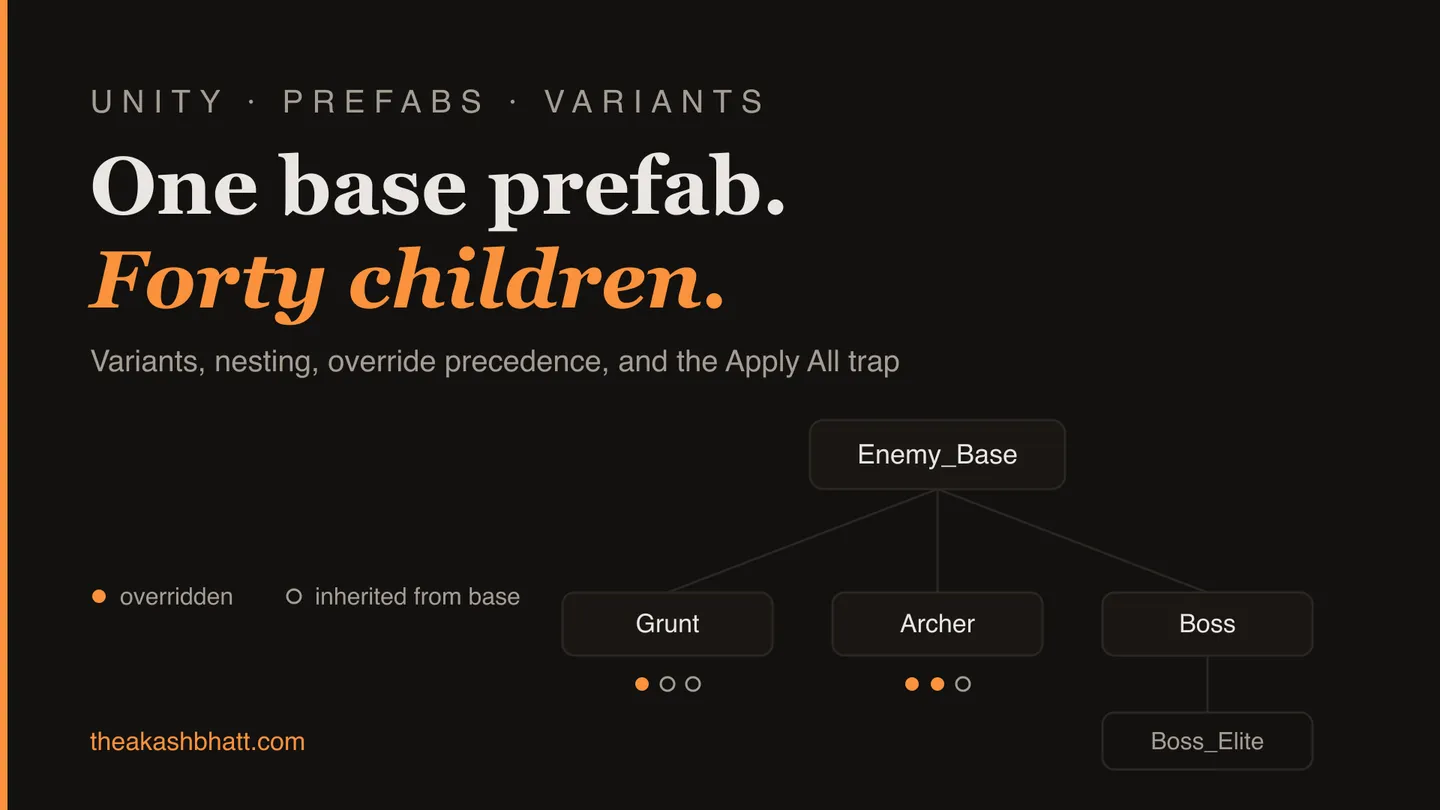
The worst prefab bug I’ve shipped didn’t come from code. A designer opened our boss prefab, a variant of the shared Enemy_Base, made some tuning changes, and saw the Overrides dropdown glowing with blue markers. Wanting a clean slate, they clicked Apply All. That button did exactly what it says: it applied all of the boss’s overrides, including its 4,000 health, into the base prefab.
Every enemy variant that had its own health override kept it. The nineteen that didn’t, mostly early-game grunts nobody had needed to touch, silently inherited boss health. QA’s report two days later just said “trash mobs are unkillable in world 1.” It took us most of a morning to work out why, because the boss prefab looked completely normal. It was. The damage was in the base, and the base is the one prefab nobody thinks to open.
Prefab variants and nested prefabs have been in Unity since 2018.3, and five years on I still watch experienced teams get bitten by them. Not because the system is bad. Because almost nobody has looked at what the system actually does underneath, so they’re operating on guesses. This post is the mental model I wish someone had handed me: what variants really are, who wins when overrides collide, and the structure I now use on every project.
What a prefab variant actually is
A variant is not a copy. That’s the first guess people make and it’s wrong in an important way. Open a variant’s .prefab file in a text editor and you won’t find a full serialized hierarchy. You’ll find something close to this:
PrefabInstance:
  m_SourcePrefab: {fileID: 100100000, guid: 2c3d4e5f6a7b8c90, type: 3}
  m_Modification:
    m_Modifications:
    - target: {fileID: 4137248, guid: 2c3d4e5f6a7b8c90, type: 3}
      propertyPath: m_Health
      value: 4000
    - target: {fileID: 4137248, guid: 2c3d4e5f6a7b8c90, type: 3}
      propertyPath: m_Name
      value: Boss_Fireborn
A variant is a pointer to its base plus a list of property patches. Nothing else. Everything you did not explicitly change is read live from the base prefab at import time. Edit the base and every variant that hasn’t overridden that property picks up the change immediately, because the variants never had their own value to begin with.
Once you see that YAML, two things stop being surprising. First, why base edits propagate so aggressively: propagation isn’t a sync step, it’s the default state. Second, why a variant file can be tiny while representing a huge object. Only the diffs are stored. The same m_Modifications mechanism is how a prefab instance in a scene stores its per-instance tweaks, which is why the Inspector uses the same bold-text-and-blue-margin language for both.
If you’ve read my post on what happens to references when you refactor a Unity project, that guid in m_SourcePrefab will look familiar. Delete the base prefab, or lose its meta file, and every variant in the project breaks at once. The family tree is only as healthy as its root.
Override precedence: closest to the object wins
With variants and nesting in play, one property can have up to four opinions about its value: the base prefab’s default, an override in a variant, an override in an outer prefab that nests it, and an override on the scene instance. The rule Unity applies is simple and worth memorising: the value defined closest to the final object wins.
Scene instance beats outer prefab. Outer prefab beats variant. Variant beats base. So when a designer asks “I changed the base, why didn’t this enemy update?”, the answer is always the same: something between the base and that instance has an override on the property, and the Inspector will show it in bold if you look at the right level. The frustrating part is that “the right level” might be a prefab you don’t have open. The Overrides dropdown has a comparison view for exactly this, and it’s criminally underused; it shows you base and current side by side, per level.
The precedence rule also explains a subtle trap with transforms. Position on the root of a prefab instance is basically always overridden, because you dragged the thing into a scene. People internalise “position is per-instance” and then get confused when a child object’s local position doesn’t behave the same way. It behaves by the same rule; there’s just usually no override on it yet.
The Apply All trap
Back to my boss incident. When you edit a variant in prefab mode, Apply All has one meaning: push every override into the base. When you select a scene instance, Apply All targets whatever the instance came from, and on individual properties you get a context menu offering every level in the chain, “Apply to Prefab ‘Enemy_Base’” and “Apply as Override in Prefab ‘Boss’” and so on. The wording is precise. Nobody reads it. The button is one click and the consequences are project-wide.
Two habits fixed this for us. The first: overrides on a variant are not clutter to be cleaned, they are the variant. A boss variant with fifteen overrides is fine. Apply All on a variant should feel like force-pushing to main, something you do deliberately or not at all. The second: treat base prefab edits as code review material. On later projects we kept base prefabs in folders covered by stricter review in version control, which sounds bureaucratic and took about ten minutes to set up. It has paid for itself several times over. If your scenes and prefabs are text-serialized (they should be, see my piece on surviving Unity scene merge conflicts), a base prefab diff in a pull request is genuinely readable: it’s that m_Modifications list.
Nested prefabs are composition, not hierarchy
Variants answer “this is a kind of that.” Nesting answers “this contains that.” A weapon prefab nested inside an enemy prefab stays connected to its source: fix the muzzle flash on the weapon once, every enemy carrying it updates. Before 2018.3 we simulated this with editor scripts that re-instantiated sub-prefabs on save, and I do not miss that era at all.
The sharp edges show up at depth. Three or four levels of nesting is where I start seeing problems in real teams. Clicking in the scene view selects the outermost root, so people burn time double-clicking down through layers to reach the thing they want. Prefab mode’s context isolation confuses juniors (“why is everything grey?”). Import cost grows with the dependency chain, which you’ll feel on large projects every time a deeply-shared prefab changes and Unity reimports everything that transitively contains it. And a missing script inside a deeply nested prefab surfaces as a warning on every object built from it, which turns one broken reference into a wall of console noise. I wrote about why those go unnoticed for weeks in Unity’s silent failures post.
None of that means avoid nesting. It means nest for genuine reuse, not for tidiness. If a chunk of hierarchy exists in exactly one prefab, it doesn’t need to be its own prefab.
A practical note for heavy prefabs while I’m here: prefab mode’s Auto Save checkbox reserializes and reimports on every tweak, and on a big nested prefab that can mean multi-second stalls per edit. Everyone on my teams turns it off for anything heavier than a button and saves with Ctrl+S like it’s a document. It’s a one-checkbox fix for a complaint I’ve heard on four different projects.
Unpacking a prefab is a fork, not a shortcut
The Unpack option deserves its own section because of how casually it gets used. Right-click, Unpack Prefab, and the instance becomes plain objects; Unpack Completely does the same recursively through every nested layer. People reach for it the moment a prefab resists them, usually because they want to delete one child or restructure a hierarchy the prefab won’t allow as an override.
Understand what was just bought. An unpacked instance receives nothing from its source ever again. The muzzle-flash fix that propagated to every enemy skips this one, forever, and nothing will ever tell you. It’s the scene-object equivalent of copy-pasting a function because you wanted to change one line: legal, occasionally correct, and a maintenance debt every single time. In review I treat an unpack exactly like a fork: it needs a reason attached. The legitimate ones are real, to be fair. Level-unique set pieces that started from a prefab and are meant to diverge, or one-off boss arenas, unpack away. The illegitimate ones all sound like “the prefab wouldn’t let me,” which usually means the change belonged in the prefab or in a new variant.
Spotting rogue unpacks after the fact is miserable, because an unpacked object looks like any hand-built object; the blue cube icon and bold hierarchy text just quietly stop. If a “prefab” in a scene isn’t picking up base changes, check whether it’s actually still a prefab instance before you go hunting phantom overrides. Thirty seconds in the hierarchy beats the hour I once spent diffing YAML looking for an override that didn’t exist.
A prefab structure that survives production
After a few projects’ worth of scars, here’s the shape I keep coming back to. It’s deliberately boring.
One level of variant inheritance, two at most. Enemy_Base → Enemy_Grunt, Enemy_Archer, Enemy_Boss. The moment someone proposes a variant of a variant of a variant, I ask what data actually differs, and the honest answer is usually “we should move this to a ScriptableObject.” Deep variant chains are a smell that configuration is living in the wrong place; I covered the data-asset approach in 10 ways to use ScriptableObjects.
Nesting for shared physical parts only. Weapon mounts, VFX rigs, UI badges: things with their own lifecycle and their own owner on the team. Base prefabs contain the skeleton; variants patch values; nested prefabs supply organs.
Names that state the relationship. Enemy_Base is unambiguous. We also prefix strictly internal bases with an underscore so a level designer scanning the project window knows _Enemy_Base is not something you drag into a scene.
A standing rule that the Overrides dropdown gets reviewed like a diff. Before a variant is committed, someone looks at what it overrides and asks whether each entry is intentional. Ninety seconds, and it catches both accidental overrides (“why is rotation.z overridden by 0.0001?”) and the reverse of my boss story, values that should be overrides but got applied to base.
Auditing the family for breaks
The structural stuff above prevents design accidents. The other failure mode is mechanical: missing scripts and dead references accumulating in prefabs nobody has opened recently. A prefab can sit broken in the project for a month without logging a single warning, right up until a build runs on a scene that uses it. My rundown of Unity’s recurring time sinks has a paste-in editor script that sweeps loaded scenes for missing scripts, which is a decent Friday-afternoon habit; walking every prefab on disk needs more machinery than fits in a blog snippet.
Update (2026): that machinery now exists as a proper editor tool. I’ve written about RefSafe Pro, which scans every prefab, scene, and ScriptableObject in the project for missing scripts and dead references without opening them.
The deeper habit is cheaper than any tool, though. Prefab variants reward teams that know where each value lives, and punish teams that guess. Open the YAML once. Look at the m_Modifications list on a variant you know well. After that, Apply All stops being a mystery button, override markers stop being noise, and the base prefab starts getting the respect a single point of failure deserves.
Common questions
Why doesn't my prefab update when I change the base prefab?
Something between the base and that instance has an override on the property, and the value closest to the final object wins. Check the Overrides dropdown at each level; its comparison view shows base and current values side by side. If the object is not picking up any base changes at all, check whether someone unpacked it, because an unpacked instance never receives updates again.
What does Apply All do in Unity?
In prefab mode on a variant, it pushes every override into the base prefab, affecting every other variant that inherits those values. On a scene instance it applies overrides to whatever the instance came from, and the per-property context menu lets you target any level in the chain. Treat it like force-pushing to main: deliberate or not at all.
When should I unpack a prefab in Unity?
Only when you genuinely want to fork it, such as a level-unique set piece that started from a prefab and is meant to diverge. An unpacked instance never receives changes from its source again, and nothing warns you about that. If your reason sounds like the prefab would not let you make a change, the change probably belongs in the prefab or in a new variant.
What is the difference between a prefab variant and a nested prefab?
A variant answers 'this is a kind of that': it inherits from a base prefab and patches specific values. A nested prefab answers 'this contains that': a prefab placed inside another that stays connected to its own source. Use variants for families of similar objects and nesting for shared physical parts like weapons, VFX rigs, or UI badges.
Why is editing a nested prefab so slow in Unity?
Prefab mode's Auto Save checkbox reserializes and reimports the prefab on every tweak, which on a heavy nested prefab means multi-second stalls per edit. Turn Auto Save off for anything heavier than a button and save manually with Ctrl+S. Import cost also grows with nesting depth, so a deeply shared prefab triggers reimports of everything that contains it.