RefSafe Pro: Catch Missing References in Unity Before They Catch You
A while back I lost an entire weekend to a single broken prefab reference. The game worked fine in the editor. The build didn’t. No errors during the build, nothing in the console, just a feature silently doing nothing on device and hours of bisecting scenes until I found one serialized field pointing at an asset that no longer existed.
That weekend is why RefSafe Pro exists. It’s a Unity editor tool that scans your entire project, every scene, prefab, ScriptableObject, material, and your Build Settings, and surfaces the breakage Unity won’t tell you about until runtime. Or worse, until QA files the bug.
It’s live on the Unity Asset Store: Get RefSafe Pro →
Why missing references are so easy to ship
Unity is remarkably quiet about broken state. Rename a MonoBehaviour without its meta file and every GameObject that used it now carries a “Missing (Mono Script)”, with no console error until the scene loads. Delete an asset that a prefab references and the field just shows None, indistinguishable from a field that was never assigned. Remove a scene from disk but not from Build Settings and your build fails at the worst possible moment.
None of this shows up while you work. All of it shows up in front of players. (It’s one of five failure modes I covered in the Unity problems that eat entire weeks, and probably the most common.)
The usual defense is manual discipline: open every scene before a release, eyeball the Inspector, hope. That doesn’t scale past a handful of scenes, and it completely misses the prefabs and ScriptableObjects nobody has opened in weeks.
One scan for the whole project
RefSafe Pro puts the problem behind one window: Tools → RefSafe → Pro. Pick a scope, hit Scan, review the results.
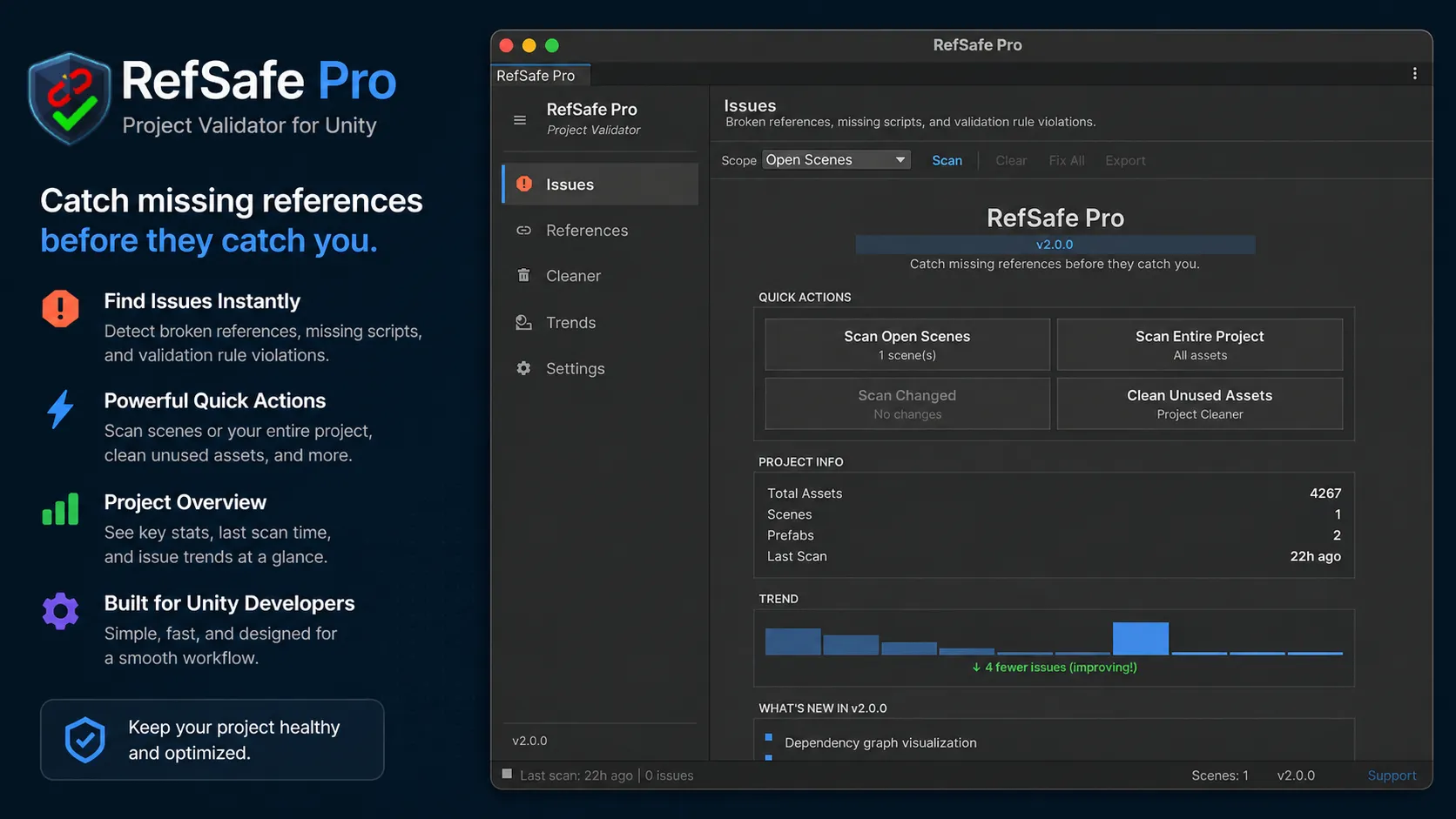
The scanner is asynchronous, spreading work across editor frames, so the editor stays responsive even on large projects. Scenes and prefabs are validated without being opened, there’s a progress bar with a real cancel button, and an incremental ChangedOnly scope re-checks only what you’ve touched since the last scan.
Detection covers a dozen-plus rule types. The core set is what you’d expect: missing scripts on GameObjects, prefabs, and ScriptableObjects; broken serialized references (the fields with a dangling instance ID that Unity renders as a harmless-looking None); missing prefab instances; and deleted scenes still listed in Build Settings. On top of that it catches broken UnityEvent callbacks, the button wired to a method that no longer exists, plus broken Addressable AssetReference fields and orphan Addressables group entries, with zero hard dependency on the Addressables package. And it flags the structural stuff that usually means something went wrong: duplicate components, invalid layers, invalid materials, shader compile errors, and transform values so huge they usually indicate a corrupted scene.
Every issue is classified Critical, Warning, or Info, and diffed against your previous scan so new breakage is impossible to miss.
Fix missing scripts and broken references in one click
Finding problems is half the job. RefSafe Pro ships fixers for the common cases (missing scripts, duplicate components, missing prefabs, deleted build scenes) plus a Fix All batch action for when a scan turns up fifty instances of the same thing.
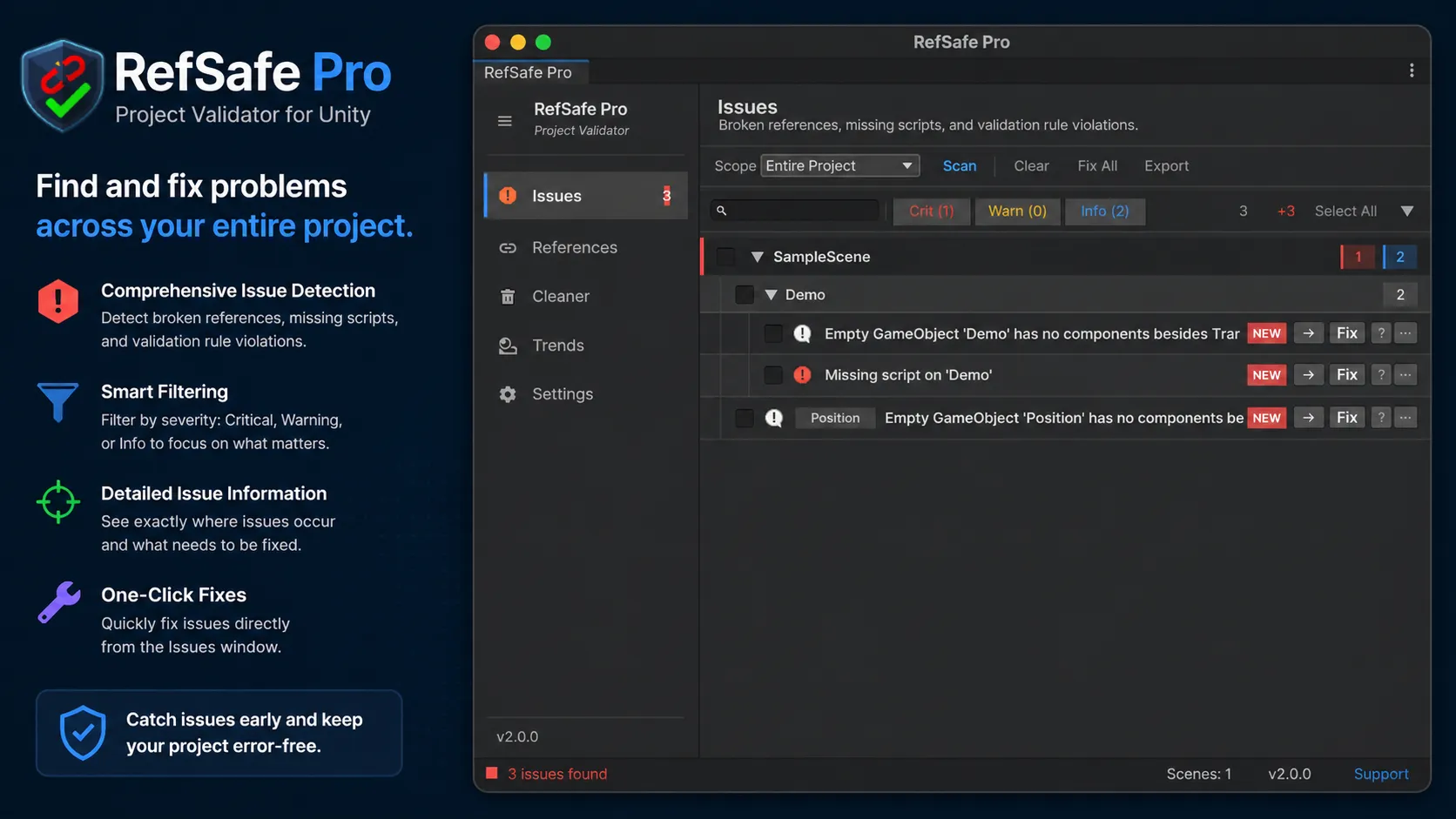
Missing references get a “Replace with…” dropdown that suggests likely replacement assets instead of leaving you to hunt through the Project window.
The triage workflow is built for real teams rather than demo projects. You can group results by scene, issue type, or severity, search across scenes, components, and fields, and pin the issues you’re actively tracking. Known issues can be snoozed for 1, 7, or 30 days with a note attached, so the next person who scans knows why something is being ignored instead of re-investigating it.
You also don’t have to live inside the tool’s window. RefSafe Pro draws per-severity issue badges directly in the Hierarchy and Project windows, updated live as scans complete, and can optionally render color-coded beacons above affected GameObjects in the SceneView. The broken things get marked where you actually work.
Find every reference to any asset
The References tab answers the two questions every refactor starts with: what uses this asset, and what does it depend on?
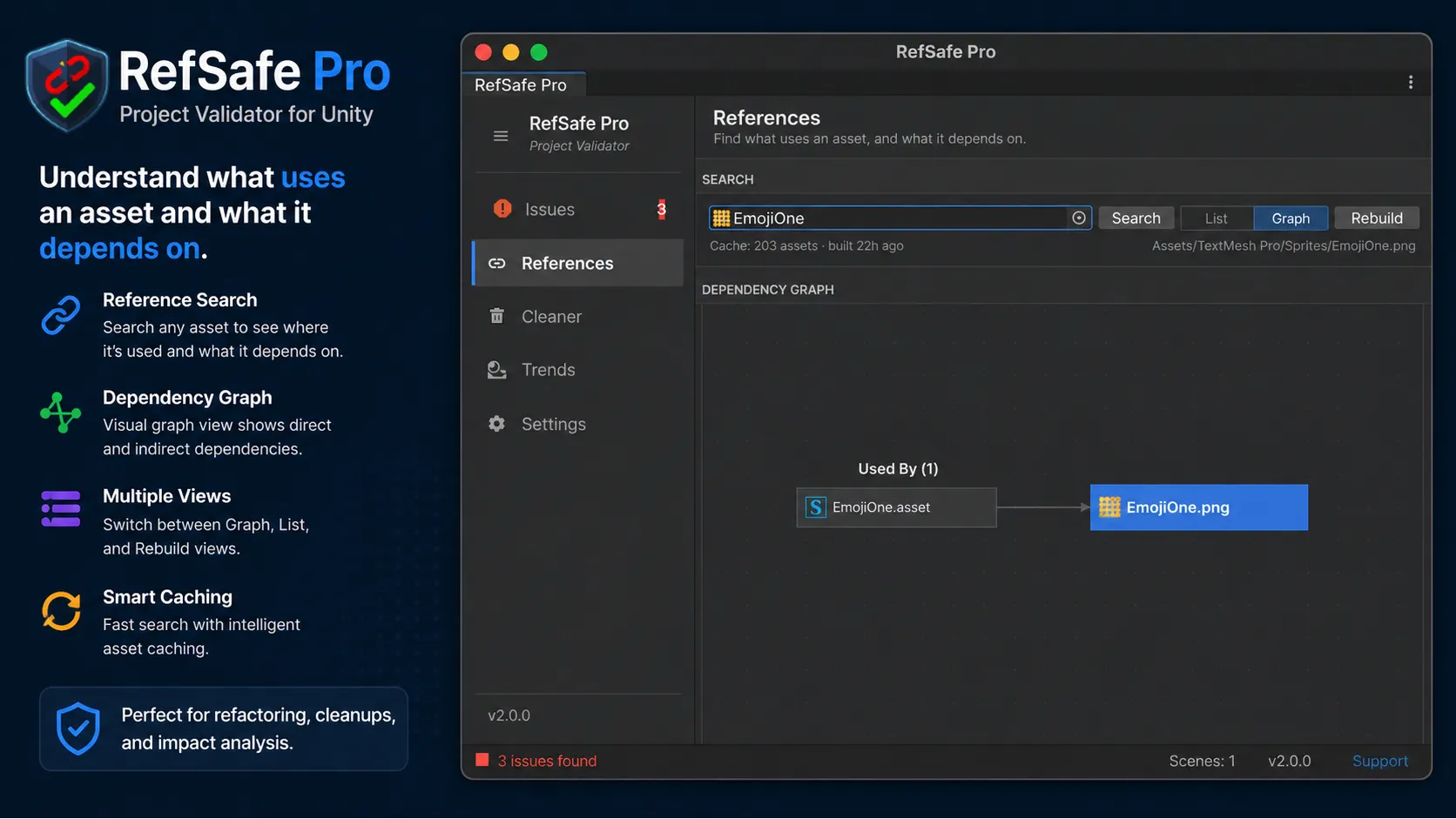
Search any asset and get its incoming and outgoing references, down to component level inside live scene objects, or switch to the dependency graph view with pan, zoom, and a minimap. The dependency map is cached, so repeat searches are fast. Before you delete or move anything, you can see exactly what will break, which takes most of the fear out of restructuring an old project.
Delete unused assets without the fear
Every long-running project accumulates dead weight: textures nobody references, duplicate imports, empty folders. The Cleaner tab finds all of it, and because bulk-deleting assets is genuinely scary, this tab is deliberately paranoid.
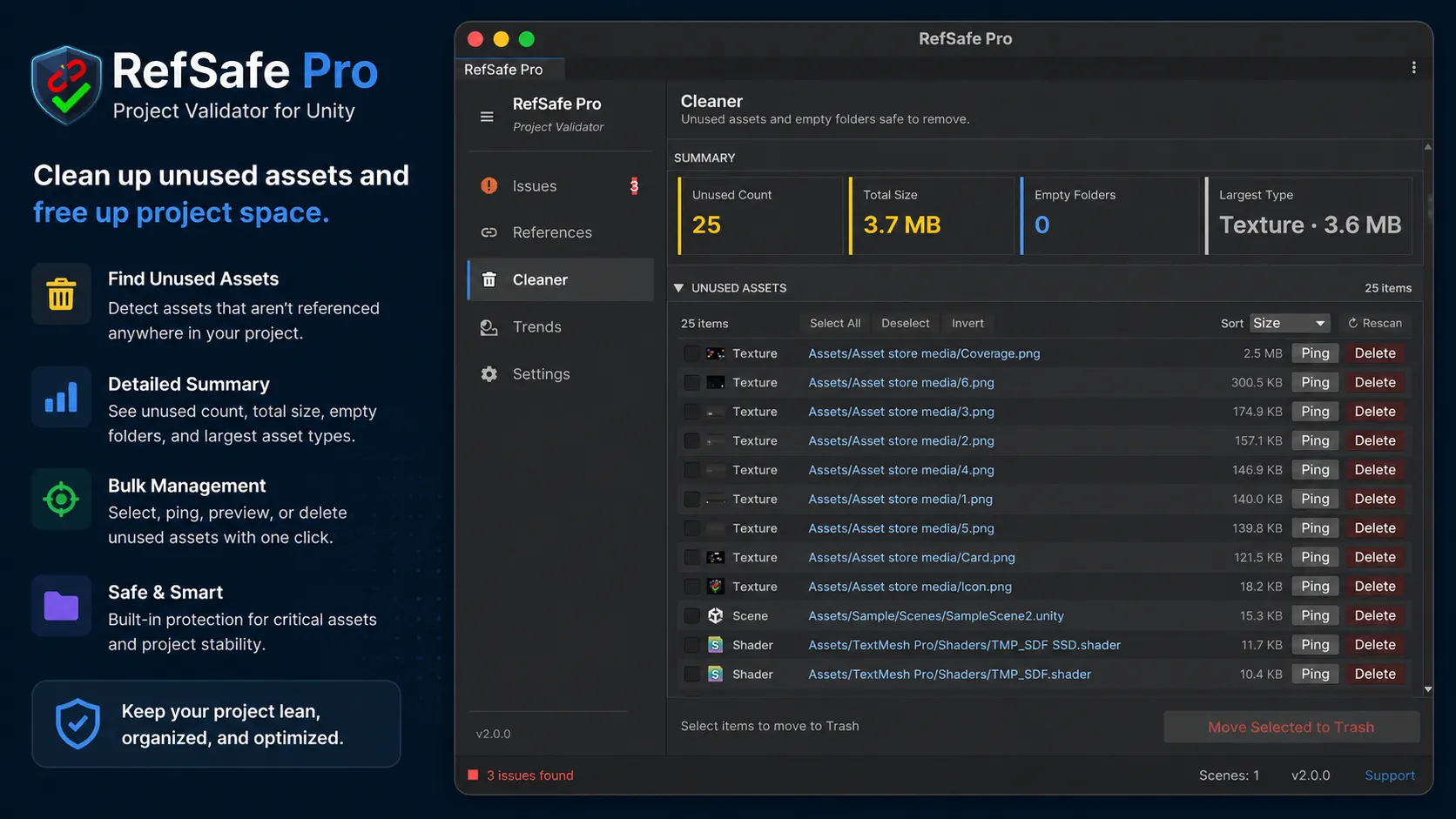
Before any batch delete you get a dry-run preview with totals, a breakdown by type, and the largest items listed. An automatic .unitypackage backup is written first, with one-click Restore from the toolbar. A two-layer Protected Assets list (sensible built-in defaults like sprite atlases, input actions, and lighting data, plus your own patterns) keeps critical files out of reach entirely. And every unused-asset row has a “Why was this flagged?” expander, so you’re never trusting a black box with your project.
The Cleaner goes beyond unused assets, too. It finds duplicate assets via size-bucketed MD5 hashing with a persistent cache, audits import settings for the classic memory hogs (textures with Read/Write enabled, large audio clips set to DecompressOnLoad) with a one-click fix per row, and runs a build-weight analysis that walks the dependency graph from your Build Settings scenes to list the fifty heaviest assets actually shipping in your build.
Track project health over time
One scan tells you where you are. The Trends tab tells you where you’re heading.
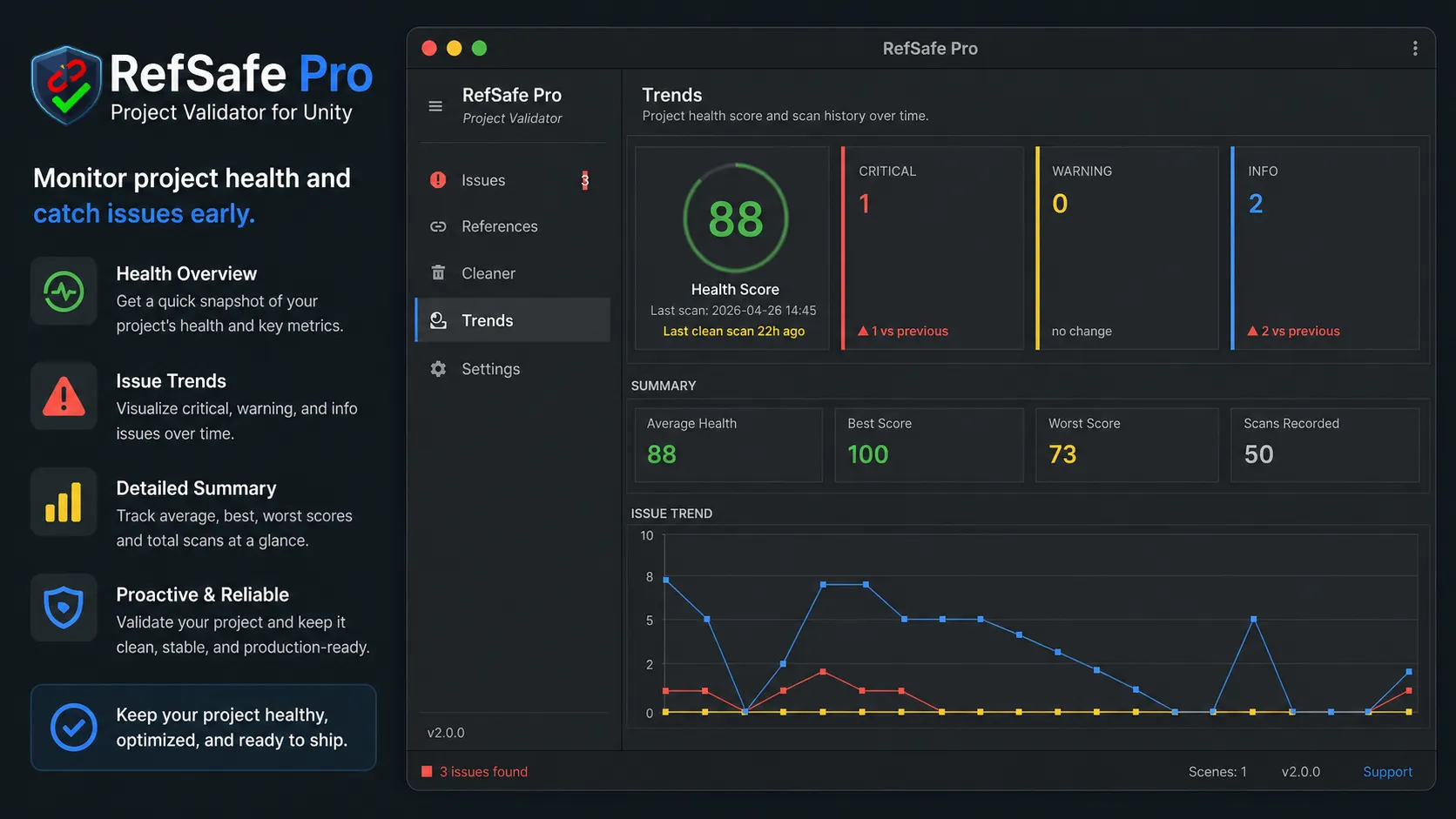
Every scan is recorded, feeding a health score with configurable severity weights, an issue trend chart, and per-week statistics. You can compare any two historical scans and get a delta summary, which is the fastest way I know to verify that a big refactor closed issues without quietly opening new ones.
Validate your Unity project in CI
This is the part I’d argue matters most for studios. Validation you have to remember to run is validation that eventually doesn’t run. RefSafe Pro has a CLI entry point for batchmode, so your pipeline can gate builds on project health:
Unity -batchmode -nographics -quit \
      -projectPath "<PROJECT_PATH>" \
      -executeMethod RefSafe.Pro.CliRunner.RunScan \
      --scope EntireProject \
      --format json \
      --output report.json \
      --fail-threshold Warning
Exit code 0 means clean, 1 means issues at or above your threshold, 2 means the scan itself failed. Reports export to CSV, JSON, HTML, TXT, and Markdown, plus native GitHub Actions annotations (--format github) and GitLab Code Quality reports (--format gitlab), so findings show up inline in your merge requests.
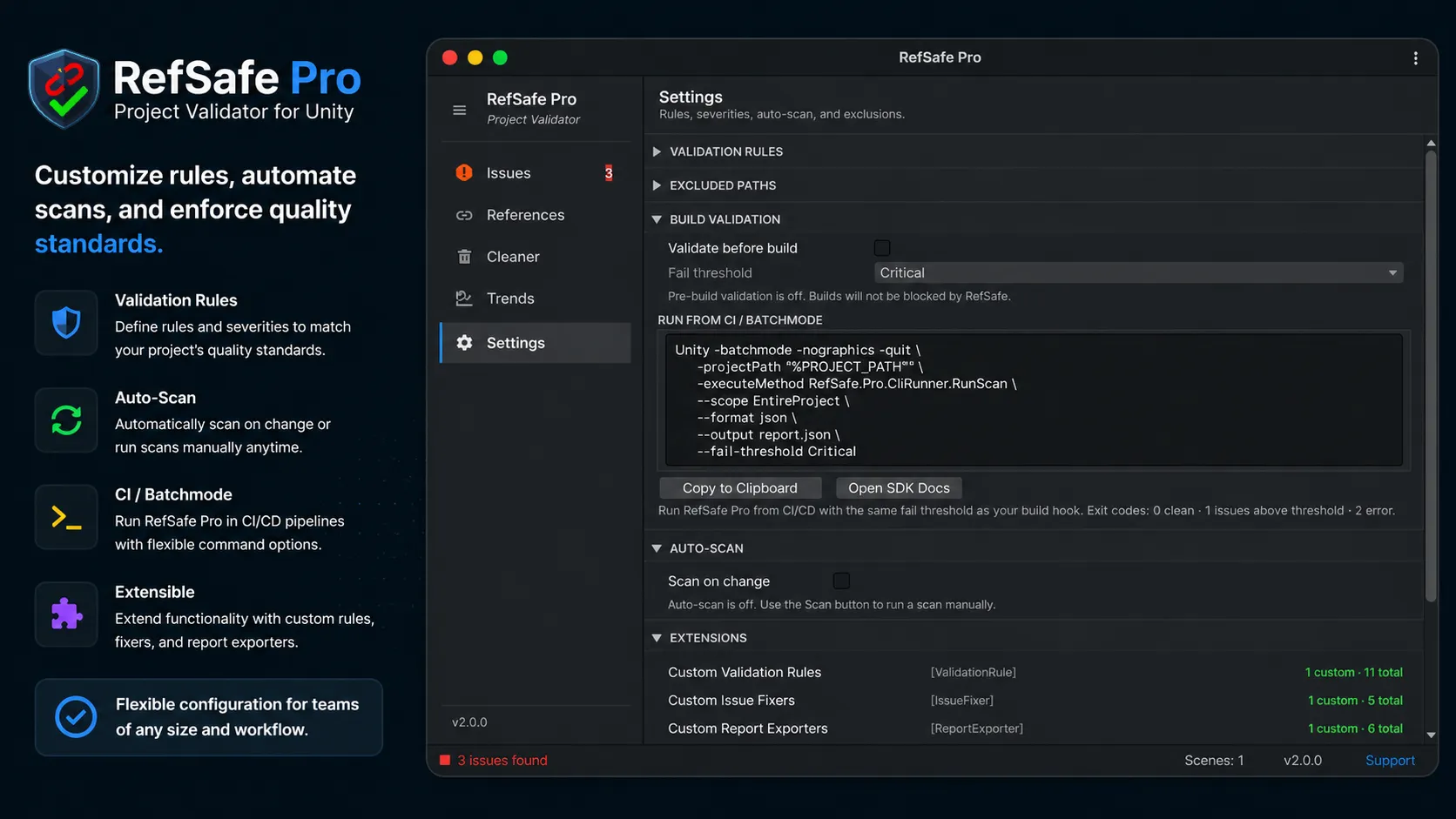
Prefer to stay inside the editor? There’s an optional pre-build validation hook with a configurable fail threshold, and an auto-scan-on-change mode for continuous feedback while you work.
Write your own validation rules
Every studio has conventions no generic tool can know. RefSafe Pro exposes a small SDK: implement an interface, add an attribute, and your rule is auto-discovered. It shows up in the Settings panel with an enable toggle and severity override, exactly like the built-in rules.
[ValidationRule(
    "Empty GameObject",
    "Finds GameObjects with only a Transform component.",
    IssueSeverity.Info,
    enabledByDefault: false)]
public class EmptyGameObjectRule : IValidationRule
{
    public IEnumerable<ScanIssue> Validate(
        GameObject gameObject, string sceneName,
        string scenePath, string assetPath)
    {
        // your validation logic — yield a ScanIssue for anything wrong
    }
}
The same pattern covers custom issue fixers, custom report exporters (the included sample exports to Slack-flavored Markdown), and custom fix-suggestion providers, with working sample implementations in the package.
Rule preset profiles (Studio Default, Strict, Prototype) let you match strictness to the project phase. Per-user settings such as ignored issues, filter presets, and UI density persist outside version control, so one developer’s snoozes never pollute a teammate’s checkout.
Lite vs Pro
There’s a free RefSafe Lite on the Asset Store if you want to try the core scanner first. The short version of the comparison:
| Lite (Free) | Pro | |
|---|---|---|
| Scan open scenes for missing scripts & references | ✅ | ✅ |
| Scan all scenes, prefabs, ScriptableObjects — entire project | ❌ | ✅ |
| 12+ validation rule types & custom rules SDK | ❌ | ✅ |
| One-click fixers, Fix All, smart replacements | ❌ | ✅ |
| Reference finder & dependency graph | ❌ | ✅ |
| Project Cleaner with dry-run + backup | ❌ | ✅ |
| Health score, scan history & trends | ❌ | ✅ |
| CI/CD batchmode, exports, build hook | ❌ | ✅ |
The details
RefSafe Pro is editor-only; nothing ships into your build. It supports Unity 2021 LTS through Unity 6 and both editor themes, and it’s split into two assemblies (RefSafe.Pro.Core and RefSafe.Pro.Editor) with automated EditMode test coverage and profiler instrumentation on the hot paths. Settings are written atomically with schema-versioned migrations, so an editor crash or a version upgrade won’t eat your configuration.
Stop shipping broken references
If you’ve ever had an “it worked yesterday” bug that turned out to be one missing script, you already know the cost. A full-project scan takes seconds and turns that entire class of bug into a pre-commit checkbox.
Get RefSafe Pro on the Unity Asset Store →
Questions, feature requests, or a bug to report? Open an issue on GitHub or email me at [email protected]. I read everything.
Common questions
How do I find missing scripts in all scenes of a Unity project?
Run a project-wide scan instead of opening scenes by hand. RefSafe Pro scans every scene, prefab, and ScriptableObject from one window (Tools, RefSafe, Pro) without opening them, and draws per-severity badges in the Hierarchy and Project windows so broken objects are marked where you work. The free RefSafe Lite covers open scenes if you want to try the scanner first.
Why does Unity not warn me about broken references?
Because a deleted asset leaves the field showing None in the Inspector, indistinguishable from a field that was never assigned, and a missing script only complains once its scene loads. Nothing fails at edit time or build time, which is why this class of bug tends to surface on device or in QA rather than at your desk.
Can I validate a Unity project in CI?
Yes. RefSafe Pro exposes a CLI entry point for Unity batchmode that exits 0 when the project is clean and 1 when issues reach your fail threshold, so a pipeline can block builds on project health. Reports export to JSON, CSV, HTML, TXT, and Markdown, plus GitHub Actions annotations and GitLab Code Quality format for inline merge request findings.
Is it safe to delete unused assets in Unity automatically?
Only with guardrails. RefSafe Pro's Cleaner shows a dry-run preview with totals before any batch delete, writes an automatic .unitypackage backup with one-click restore, and keeps critical files out of reach through a two-layer protected-assets list. Every flagged asset also has an expander explaining why it was flagged, so you are never trusting a black box.
What is the difference between RefSafe Lite and RefSafe Pro?
Lite is free and scans open scenes for missing scripts and references. Pro scans the entire project, adds the full rule set with a custom rules SDK, one-click fixers, the reference finder and dependency graph, the unused-asset Cleaner, scan history with a health score, and CI batchmode support.